FamilySearch: What It Is and How Beginners Can Use It
FamilySearch is one of the best places for beginners to start researching family history, especially because it is free. Yes, free. In genealogy, that word deserves a tiny parade.
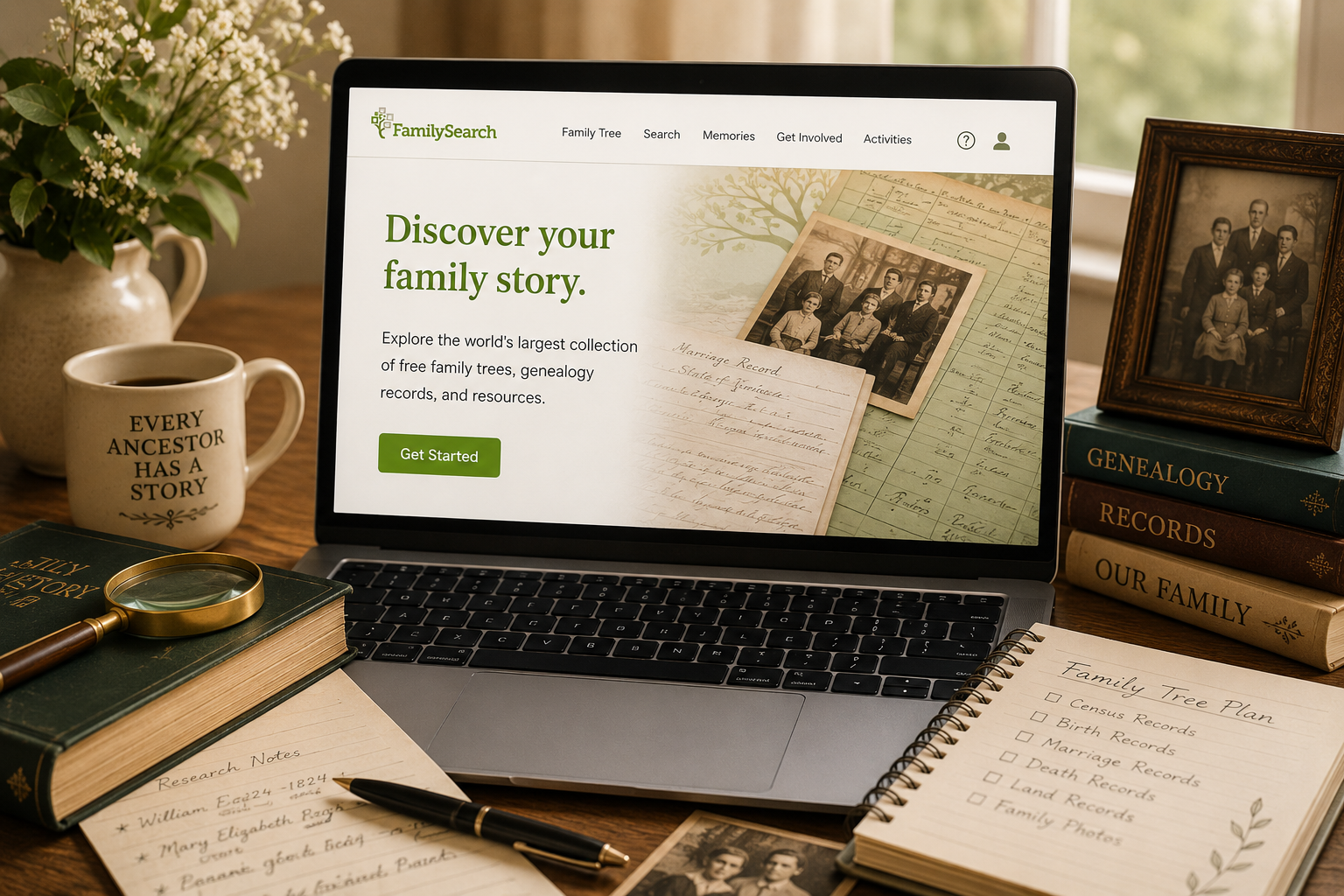
FamilySearch offers historical records, a shared family tree, family history learning tools, and helpful resources for people who are just getting started. It is run by a nonprofit organization and provides free access to many genealogy records and tools.
Like any genealogy website, it is helpful when used carefully. FamilySearch can point you toward valuable clues, but you still need to check records, compare details, and avoid clicking your way into someone else’s family tree by accident. It happens. The ancestors are sneaky.
What Is FamilySearch?
FamilySearch is a free genealogy website where you can search historical records, build or explore a family tree, save family memories, and learn more about researching your ancestors.
The site includes tools for:
- Searching historical records
- Building a family tree
- Finding possible record hints
- Learning about genealogy research
- Saving family photos and stories
- Finding help through online resources or FamilySearch centers
FamilySearch describes itself as an international nonprofit organization that helps people discover their family story, and it provides free family tree and record resources for users. It also offers getting-started activities for building a tree, finding ancestors in records, and preserving memories.
Why Beginners Should Know About FamilySearch
FamilySearch is especially useful for beginners because it gives you a lot of tools in one place without requiring a paid subscription.
You can use it to search for records like census records, birth and death records, marriage records, immigration records, cemetery information, and more. Not every record you need will be there, but it is a strong place to begin.
It is also helpful because FamilySearch offers learning tools and research guidance. If you are new and thinking, “I have no idea what I am doing,” congratulations. You are exactly the kind of person beginner resources were made for.
Start With a Free Account
To use many FamilySearch features, you will need to create a free account. Once you are signed in, you can start building a tree, searching records, and saving information.
If you are just starting out, begin with yourself and work backward. Add what you know about your parents, grandparents, and great-grandparents. Do not worry if you have blanks. Blanks are normal. Genealogy is basically the art of turning blanks into questions.
FamilySearch’s own getting-started guidance suggests beginning by adding parents and relatives as far back as you can, then watching for possible matches and hints as you build.
Understand the FamilySearch Family Tree
One important thing beginners should know: the FamilySearch Family Tree is a shared tree.
That means it does not work exactly like a private tree where only you control every person. Many users can contribute to the same deceased ancestor profiles. This can be helpful because you may find work that other researchers have already added.
It can also be confusing because shared trees can change. Someone else may add information, attach a source, or make an edit.
This is not automatically bad. Collaboration can be wonderful. But it does mean you should pay attention to sources and not assume every profile is finished, correct, and wearing a tiny crown of truth.
Use Records Before You Trust the Tree
FamilySearch can show you possible ancestors and family connections, but you should always look for records that support those connections.
A tree connection is a clue. A record is stronger.
Before accepting a parent, spouse, child, or date, ask:
- Is there a record attached?
- Does the record actually match this person?
- Do the age and location make sense?
- Do the spouse and children match other records?
- Could this be someone else with the same name?
This is especially important with common names. If you are researching a John Smith, William Brown, or Mary Johnson, make coffee. The records may require supervision.
Search Historical Records
One of the most useful parts of FamilySearch is its historical records search.
You can search by name, place, date range, relatives, and record type. If you know where your ancestor lived, searching by location can be especially helpful.
Try starting with one ancestor and one record type. For example:
- Find your great-grandmother in the 1920 census.
- Look for a marriage record for your grandparents.
- Search for a death record for a great-grandparent.
- Look for a birth record for one known child in the family.
Do not try to search for every ancestor in one sitting. That is how you end up with 37 tabs open and no idea why one of them is about a county history from Idaho.
Watch for Record Hints
As you add deceased relatives to the FamilySearch Family Tree, the site may suggest record hints. These hints can be very useful because they may point you toward census records, vital records, or other documents connected to the person.
But hints are not proof until you review them.
Before attaching a hint, compare the details:
- Name
- Age
- Birthplace
- Residence
- Family members
- Dates
If the hint fits, it can help you build your tree. If it does not fit, leave it alone. The wrong hint is not a clue. It is a tiny trap wearing a helpful little icon.
Use the FamilySearch Research Wiki
The FamilySearch Research Wiki is another helpful tool. It can teach you what kinds of records exist for a place, where to look for them, and how to understand them.
This is especially useful when you are researching a new location. For example, if your ancestor lived in a certain county or country, the wiki may help you learn what records are available there.
Beginners often jump straight into name searches, but location guides can save a lot of time. Sometimes the question is not “Where is my ancestor?” but “What records were even created in this place?”
Check the Catalog and Digital Books
FamilySearch also has a catalog and digital books section. These can help you find records and published materials that may not appear in a simple name search.
You might find:
- County histories
- Church records
- Probate records
- Land records
- Local histories
- Genealogy books
This is where FamilySearch can become especially useful once you move beyond basic searches. You do not have to master the catalog right away, but it is good to know it exists.
Save What You Find
When you find a useful record, save it in a way you can find again.
At minimum, write down:
- The person the record is about
- The record title or collection name
- The date or year
- The location
- What the record tells you
- Where you found it
Do not rely on “I will remember this later.” That sentence has betrayed genealogists since the invention of paper.
What FamilySearch Is Best For
FamilySearch is especially helpful for:
- Beginners who want a free place to start
- Searching historical records
- Finding census, birth, marriage, and death clues
- Learning about records by location
- Saving family memories
- Finding possible tree connections
It is not perfect, and not every record is available online. Some records may be indexed incorrectly, some images may be restricted, and some tree information may need careful checking.
Still, it is one of the most useful free genealogy tools for beginners.
Final Thoughts
FamilySearch is a strong starting point for beginner genealogy research. You can use it to build a tree, search records, follow hints, explore research guidance, and learn more about your family history.
The key is to use it thoughtfully. Search records, compare details, save your sources, and treat tree connections as clues until records support them.
FamilySearch can open a lot of doors in your family history research. Just remember to walk through them carefully. Some doors lead to records. Some lead to mystery relatives named John. Both are part of the adventure.
Source note: FamilySearch describes its services as free genealogy resources, including a shared family tree, historical records, getting-started activities, research guidance, FamilySearch centers, and help resources.