
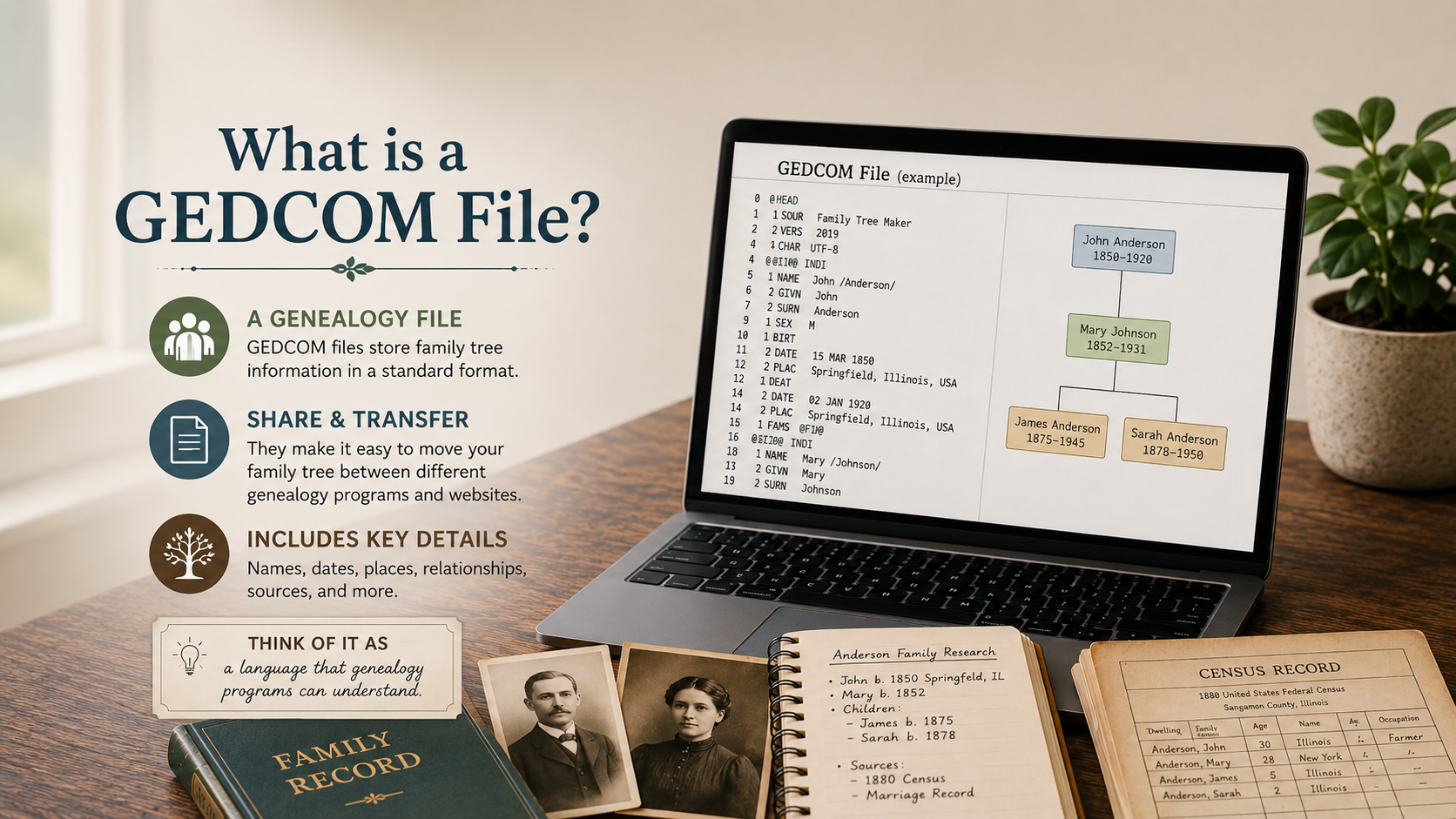
What Is a GEDCOM File?
If you have spent more than five minutes around online family trees, you may have seen the word “GEDCOM” and immediately wondered if genealogy had suddenly turned into computer science.
Good news: a GEDCOM file is not as scary as it sounds. It is simply a file that helps move family tree information from one genealogy program or website to another.
Think of it as a moving box for your family tree. Ideally, it carries the important stuff. Occasionally, something gets wrinkled in transit. Genealogy likes to keep us humble.
What Does GEDCOM Mean?
GEDCOM stands for Genealogical Data Communication. That is a very official-sounding name for a file that lets genealogy information be shared between different systems.
A GEDCOM file usually ends with:
.ged
So if you see a file called something like my-family-tree.ged, that is probably a GEDCOM file.
It is not a picture, a PDF, or a regular document. It is a data file that stores family tree information in a format genealogy programs can read.
What Is Inside a GEDCOM File?
A GEDCOM file can include many parts of your family tree, such as:
- Names
- Birth dates and places
- Marriage information
- Death dates and places
- Family relationships
- Notes
- Some source information
The main job of a GEDCOM file is to keep track of people and how they connect to one another.
For example, it can show that John Smith was married to Mary Brown, and that they had three children. It can also connect those children to spouses, parents, and other family members.
Why Would You Use a GEDCOM File?
A GEDCOM file is useful when you want to move or copy your family tree.
You might use one if you want to:
- Download a copy of your online family tree
- Move your tree from one website to another
- Share your tree with a relative
- Save a backup of your research
- Open your tree in genealogy software
This can be very handy if you have spent years building a tree and want to make sure you are not relying on only one website to hold it.
Because let’s be honest: trusting one website with your entire family tree feels a little like putting Grandma’s wedding photo in a shoebox labeled “probably safe.”
What a GEDCOM File Does Not Always Include
This is where beginners sometimes get surprised. A GEDCOM file may not include everything you see in your online tree.
Depending on the website or program, a GEDCOM file may not fully carry over:
- Record images
- Attached photos
- Newspaper clippings
- Some source links
- Comments or messages
- Special formatting
The names and relationships may transfer, but some of the extras may not come along for the ride.
That does not mean GEDCOM files are bad. It just means you should understand what they can and cannot do before assuming your whole genealogy world is safely packed inside one little file.
Can You Open a GEDCOM File Like a Regular Document?
Not really. If you double-click a GEDCOM file, your computer may not know what to do with it.
To use a GEDCOM file, you usually need to import it into a genealogy website or genealogy software program.
You may see options like:
- Import GEDCOM
- Upload GEDCOM
- Create tree from GEDCOM
- Export GEDCOM
Export means you are downloading or saving the tree as a GEDCOM file. Import means you are bringing that GEDCOM file into another place.
Should Beginners Use GEDCOM Files?
Yes, but you do not need to rush.
If you are just starting your family tree, you may not need a GEDCOM file right away. But once you have built a tree with several generations, it is smart to know how GEDCOM files work.
At the very least, downloading a GEDCOM can give you a backup copy of your tree information.
Just remember: a GEDCOM file is not a full research backup if it does not include your record images and documents. You may still want to save important records separately.
How to Keep Your GEDCOM File Organized
If you download a GEDCOM file, give it a clear file name. Do not leave it with a vague name like:
tree-export-final-final-REALLY-final.ged
We have all been there. The file names get dramatic fast.
A better file name might be:
smith-family-tree-2026.ged
Or:
marys-family-tree-backup-may-2026.ged
Keep it somewhere easy to find, and consider saving a copy in more than one place, such as your computer and a cloud storage folder.
Final Thoughts
A GEDCOM file is simply a way to save, move, or share your family tree data. It can be very useful, especially when you want a backup or need to transfer your tree between genealogy tools.
The most important thing to remember is that a GEDCOM file may not include every photo, record image, or attachment from your tree. It is helpful, but it is not magic.
So if you see the word GEDCOM, do not panic. It is just your family tree packed into a genealogy moving box. Label it clearly, keep it safe, and maybe do not let it sit in the digital attic forever.